Framer Templates: How to Choose the Right One (2027)
Last Updated on:
Author:
The best Framer templates for you depend on what your business does. HomeMaster ($49) is a template for local service businesses. Pastora is a free Italian restaurant template, and AlphaOS is a $129 multi-layout template for AI and software companies.
Framebite is our own product, and the first six picks below are ours.
Quick list
- AlphaOS: software and AI tool companies. Paid.
- HomeMaster: cleaning, plumbing, roofing and other local services. Paid.
- Pastora: Italian restaurants. Free.
- Evelyn: designers and creative freelancers. Paid.
- Videfo: video and UGC content agencies. Free.
- Revento: digital marketing agencies. Paid.
- Sadewa by Velox Themes: AI automation and B2B agencies. Paid.
- ReadyLaunch by Green Yang: founders launching a SaaS product. Paid.
- Dreelio by Leonardo Chike: a free SaaS landing-page template with a sample pricing table.
- Pearl by Dawid Pietrasiak: designers, photographers and artists. Free.
- Savoria by Jitu Raut: fine dining restaurants. Free.
- PlumbingPro by Wize Design: plumbers and trades that want phone calls. Free.
The Framer templates worth a look
1. AlphaOS
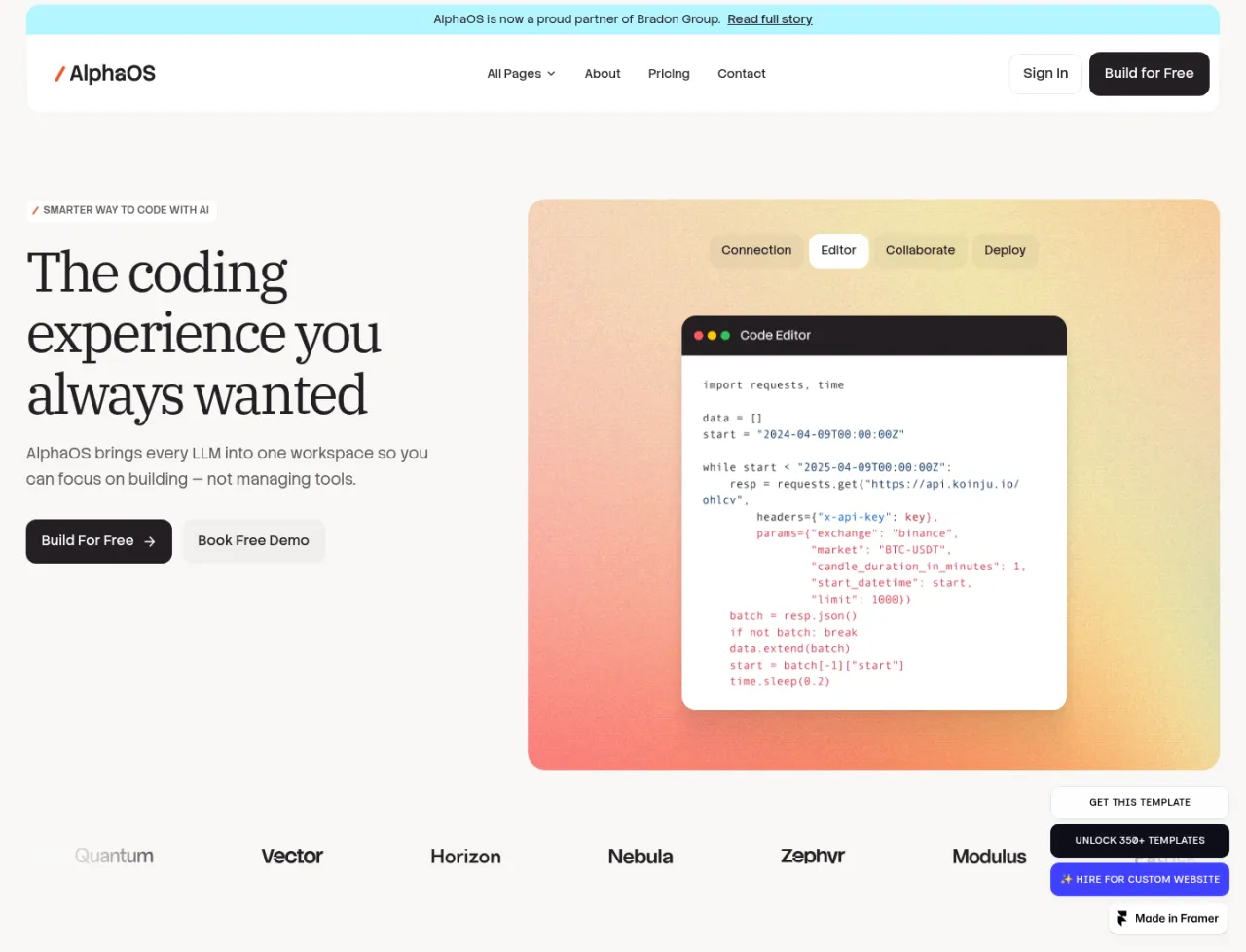
AlphaOS, as it looked in November 2026.
- Best for: a software or AI tool company that needs a full marketing site, not a single landing page.
- What stands out: AlphaOS is a multi-layout AI SaaS template.
- Watch out: At $129, it shares the highest price in this list with Sadewa.
- Price: $129 for the Framer version.
- See it: alphaos.framer.website
2. HomeMaster
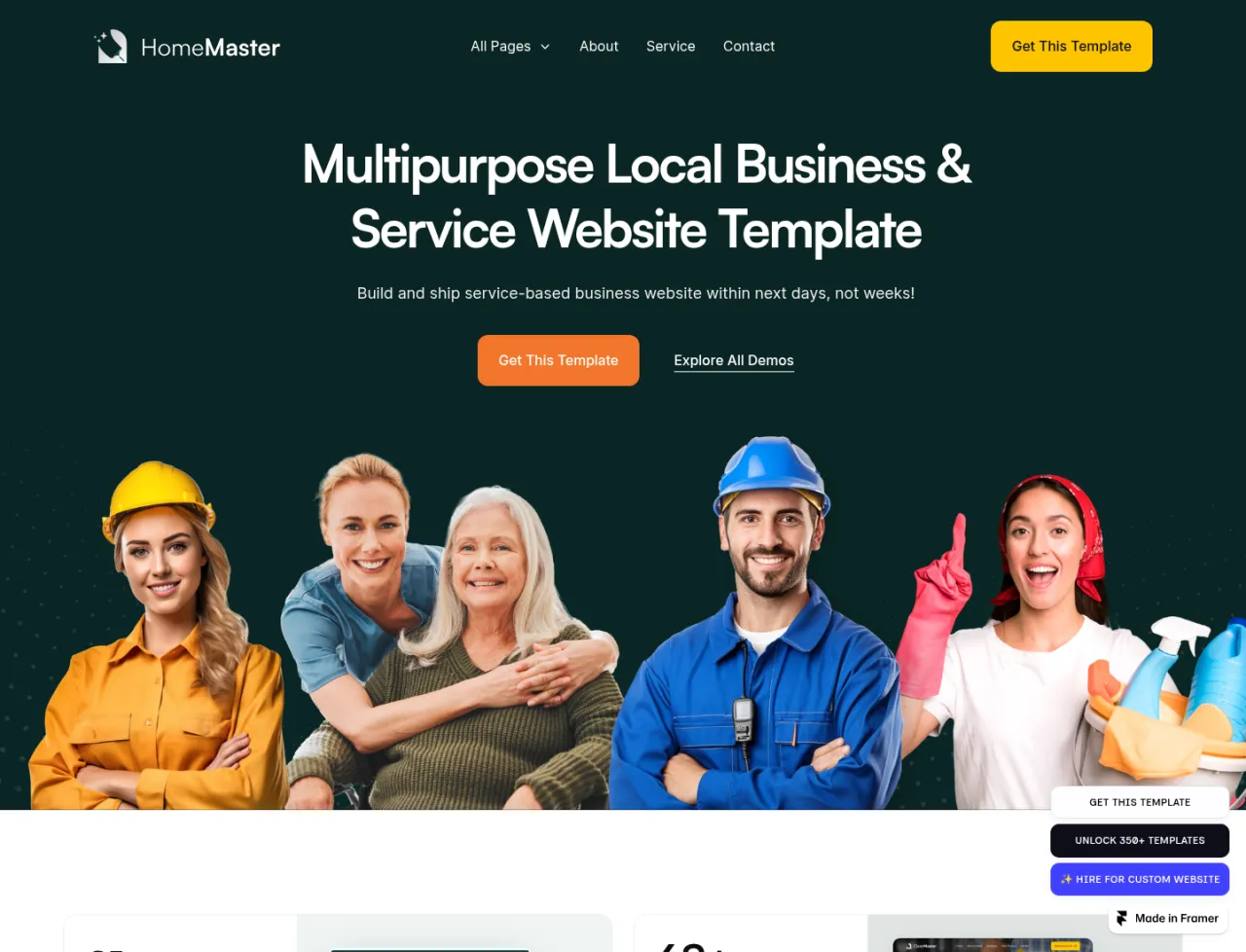
HomeMaster, as it looked in November 2026.
- Best for: cleaning, plumbing, pest control, renovation, elderly care or roofing businesses.
- What stands out: HomeMaster is a multi-layout template for local service businesses.
- Watch out: At $49, it costs more than PlumbingPro, the free trade template later in this list.
- Price: $49.
- See it: homemaster.framer.website
3. Pastora
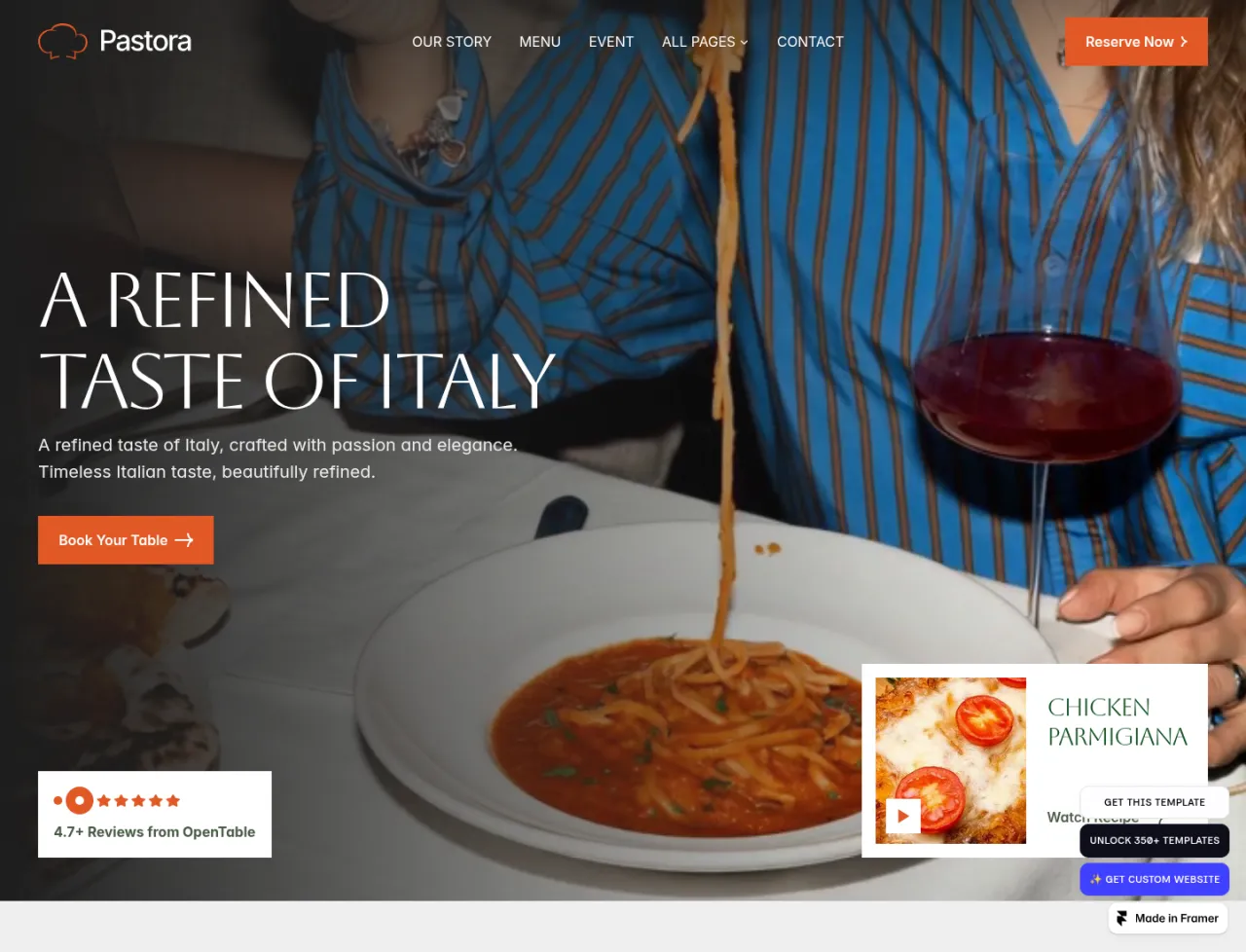
Pastora, as it looked in November 2026.
- Best for: An Italian restaurant.
- What stands out: Pastora is a free website template for Italian restaurants.
- Watch out: If you serve a different cuisine, adapt the menu content to match.
- Price: Free.
- See it: pastora.framer.wiki
4. Evelyn
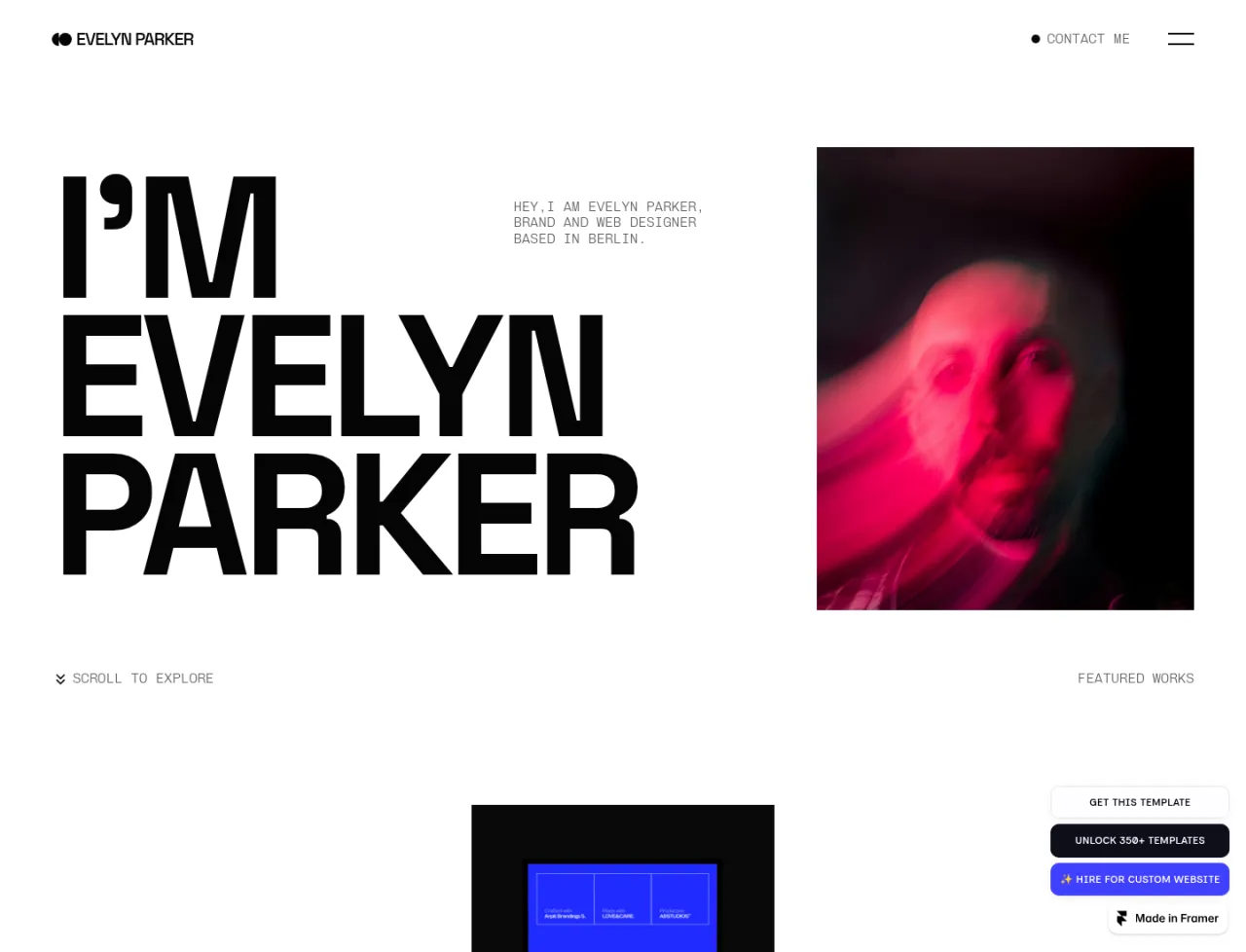
Evelyn, as it looked in November 2026.
- Best for: a designer or creative freelancer who wants to show work and past roles.
- What stands out: Evelyn is a creative portfolio template.
- Watch out: It is the only paid portfolio pick here. Pearl is a free option if cost matters most.
- Price: $49.
- See it: evelyn.framer.photos
5. Videfo
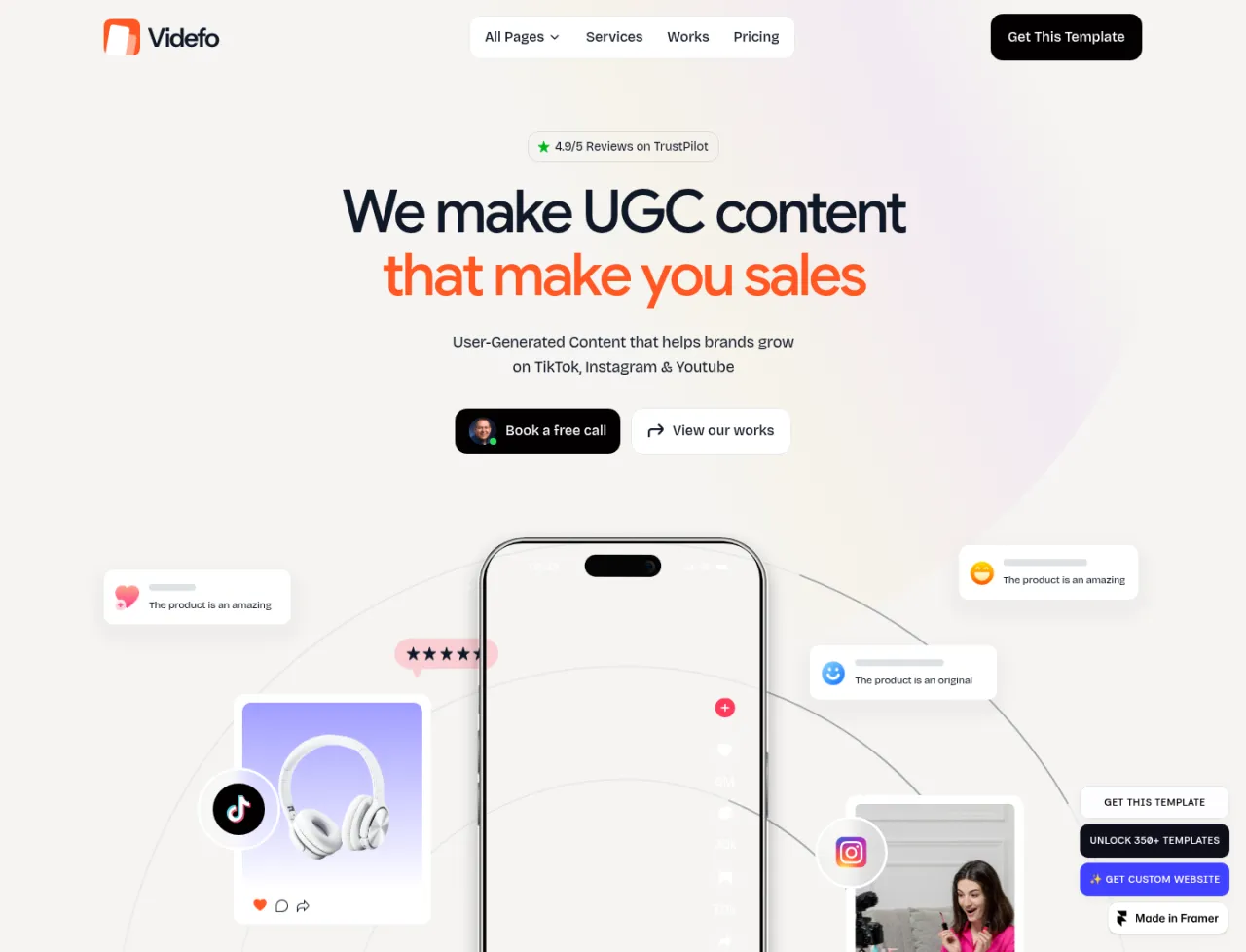
Videfo, as it looked in November 2026.
- Best for: a video or UGC content agency that sells packages.
- What stands out: Videfo is a free template for video marketing agencies.
- Watch out: Its theme is video marketing, so a business in another field should start from a different pick.
- Price: Free for the Framer version.
- See it: videfo.framer.website
6. Revento
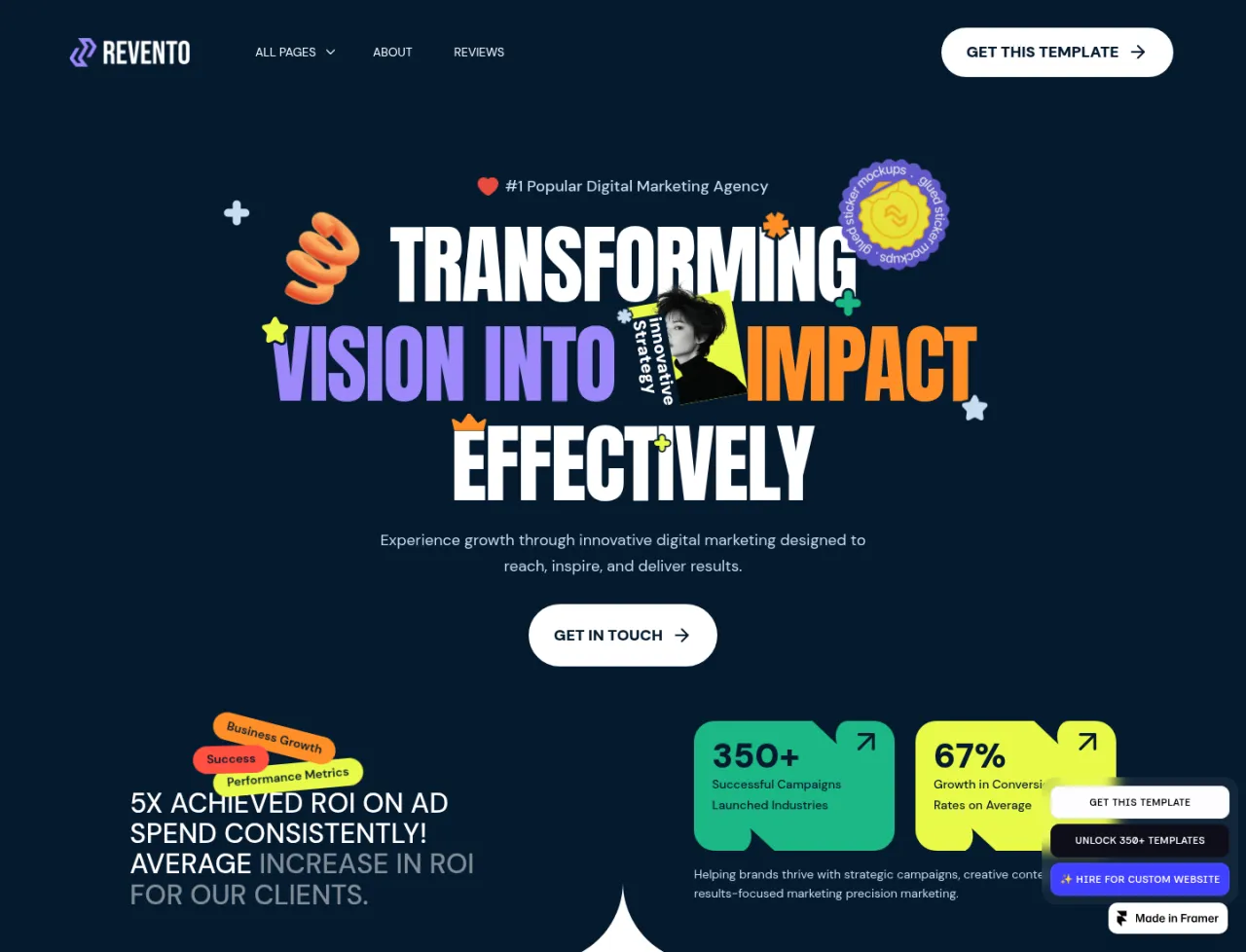
Revento, as it looked in November 2026.
- Best for: a marketing agency offering SEO, social media or email work.
- What stands out: Revento is a multi-layout digital agency template.
- Watch out: At $79, it costs more than Videfo, the free agency pick in this list.
- Price: $79.
- See it: revento.framer.website
7. Sadewa by Velox Themes
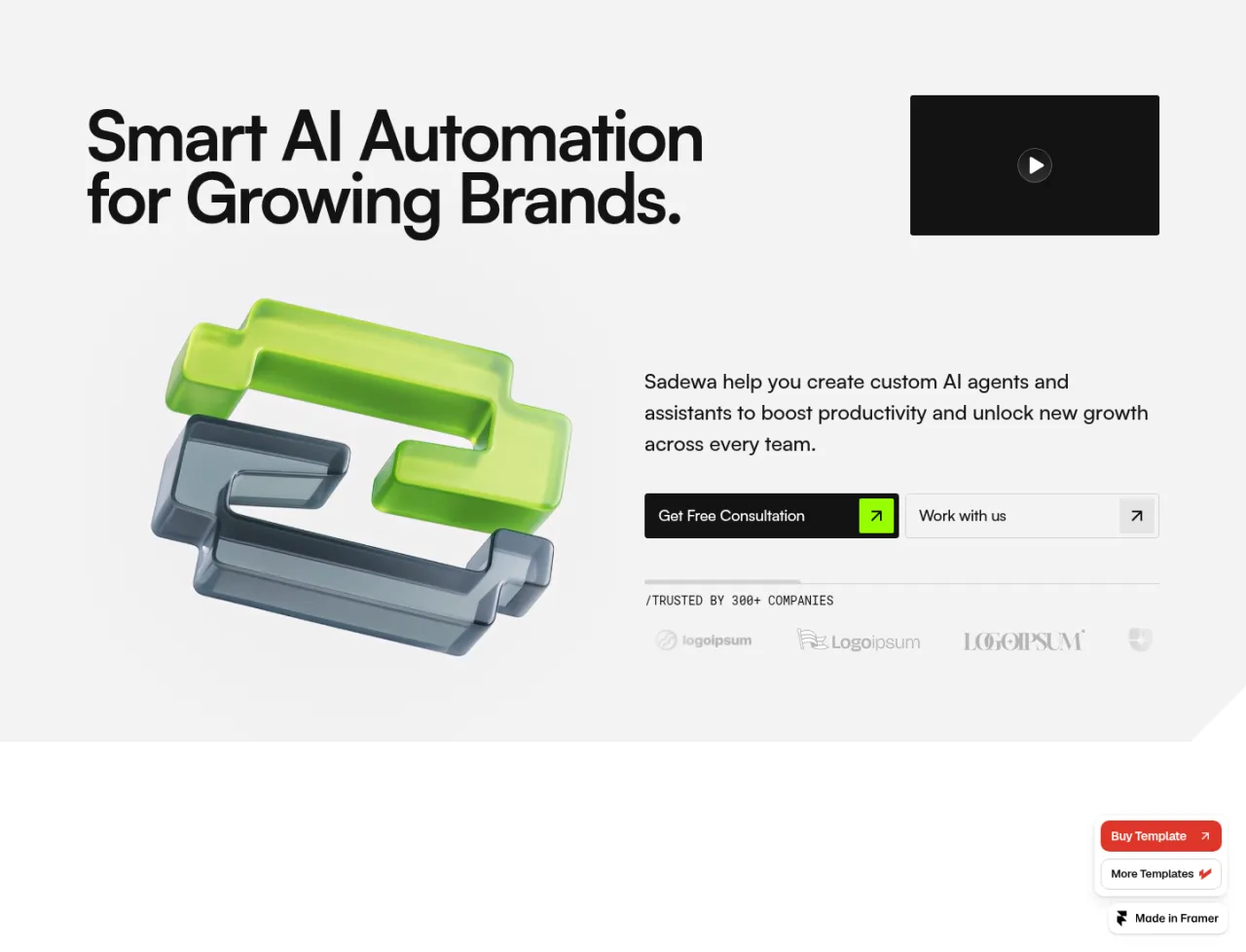
Sadewa by Velox Themes, as it looked in November 2026.
- Best for: an AI automation or B2B consulting agency that books sales calls.
- What stands out: The demo's hero button links to the Cal.com homepage. Replace that placeholder link with your own booking URL before launch. The homepage also has a team section with four people, a comparison against "Other Agencies" and three pricing tiers with a yearly toggle.
- Watch out: A few typos sit in the sample text, such as a "Choose Growh" button, so proofread before launch.
- Price: $129.
- See it: sadewa.framer.website
8. ReadyLaunch by Green Yang
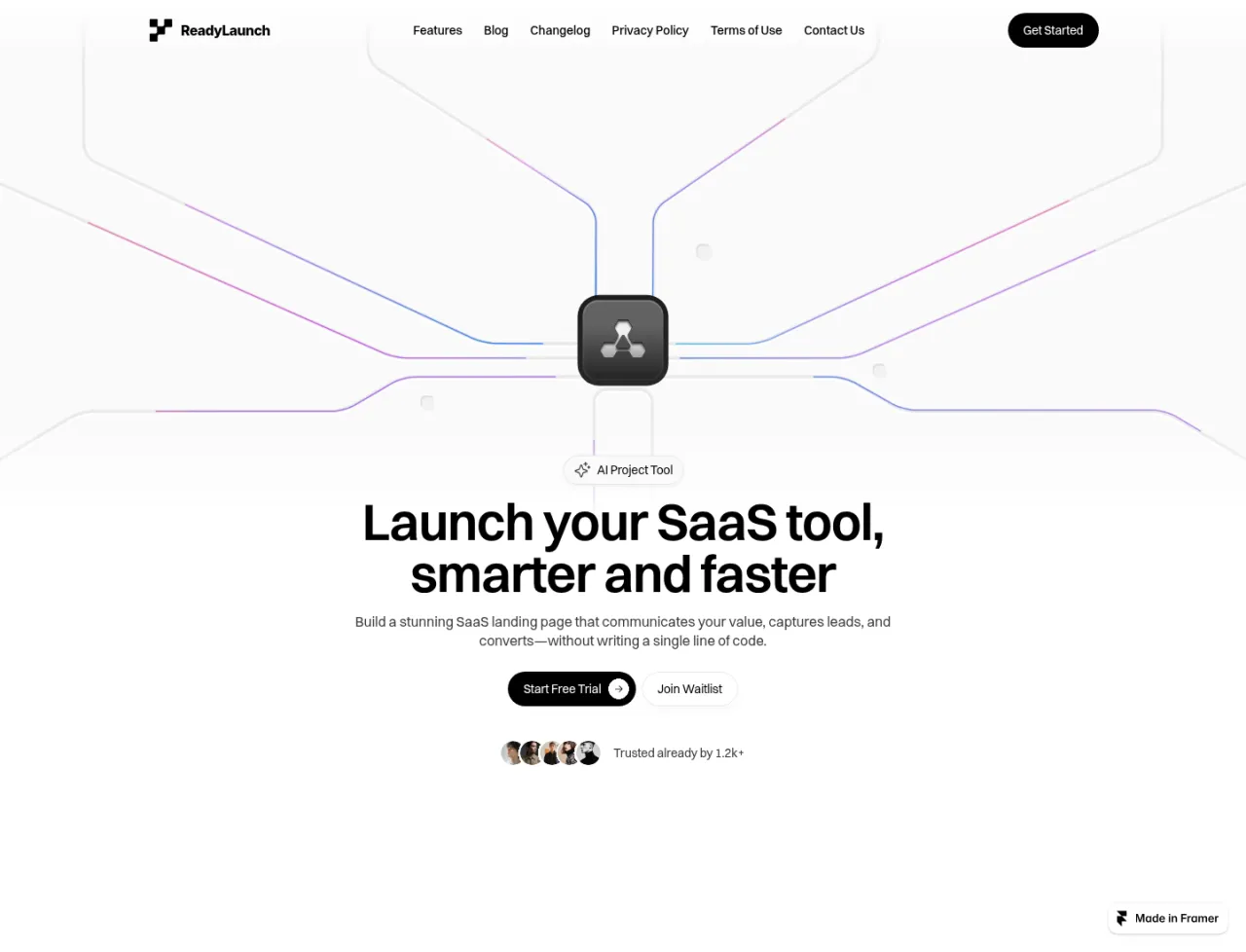
ReadyLaunch by Green Yang, as it looked in November 2026.
- Best for: a founder launching a SaaS or app and collecting early sign-ups.
- What stands out: The hero has sample trial and waitlist buttons. Connect them to your own sign-up flows before launch. Pricing shows three tiers and a feature comparison grid underneath, followed by blog previews and an FAQ.
- Watch out: The body text uses a sample brand called "Taskos", so every mention needs replacing.
- Price: $99.
- See it: readylaunch.framer.website
9. Dreelio by Leonardo Chike
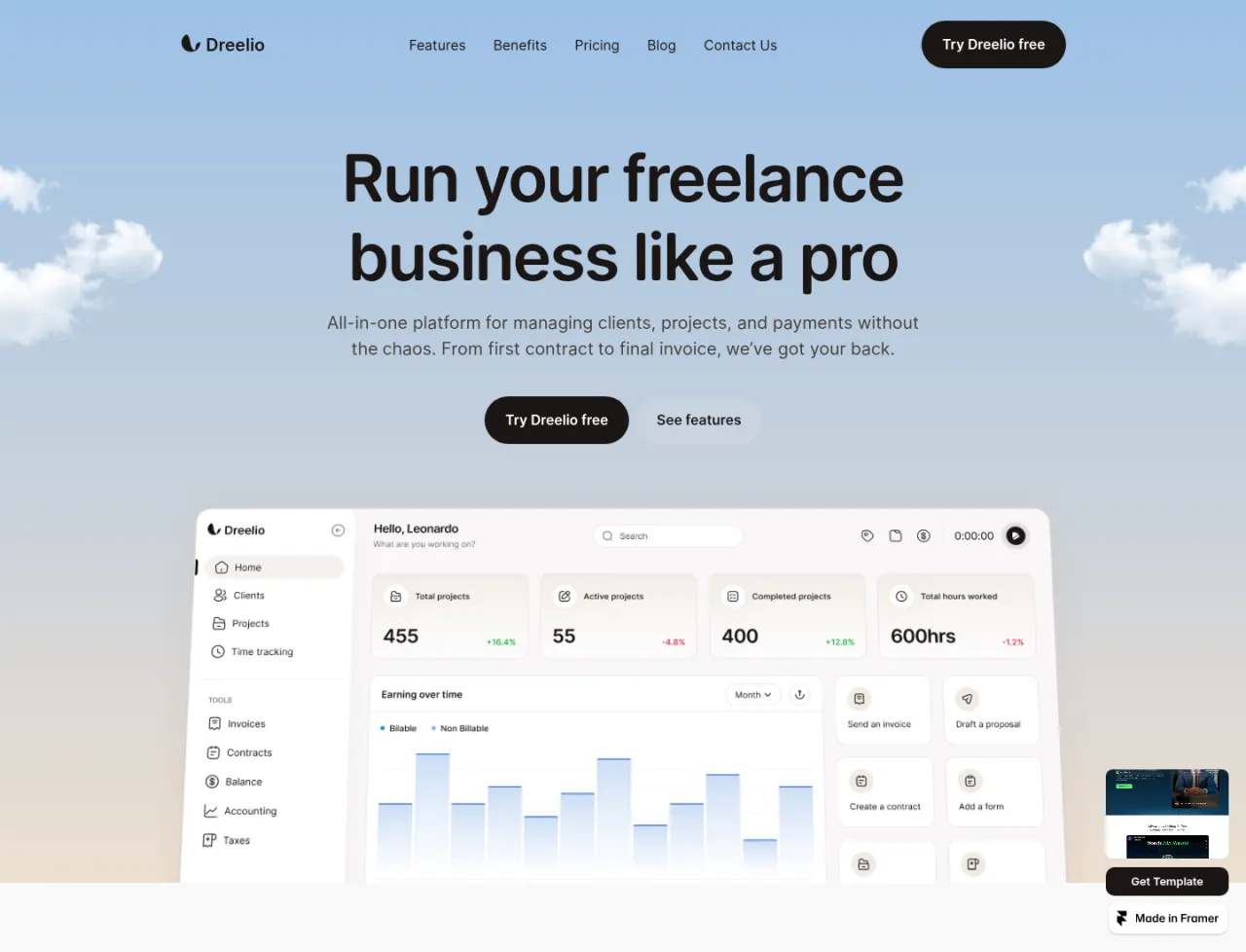
Dreelio by Leonardo Chike, as it looked in November 2026.
- Best for: a small software product that wants a free landing page with a pricing table.
- What stands out: Separate blocks for project tracking and invoicing features. The pricing has a free Basic plan, a paid Premium plan and an Enterprise plan with "Contact sales".
- Watch out: It has 6 pages, and the Figma file is only available by emailing the maker.
- Price: Free.
- See it: dreelio.framer.website
10. Pearl by Dawid Pietrasiak
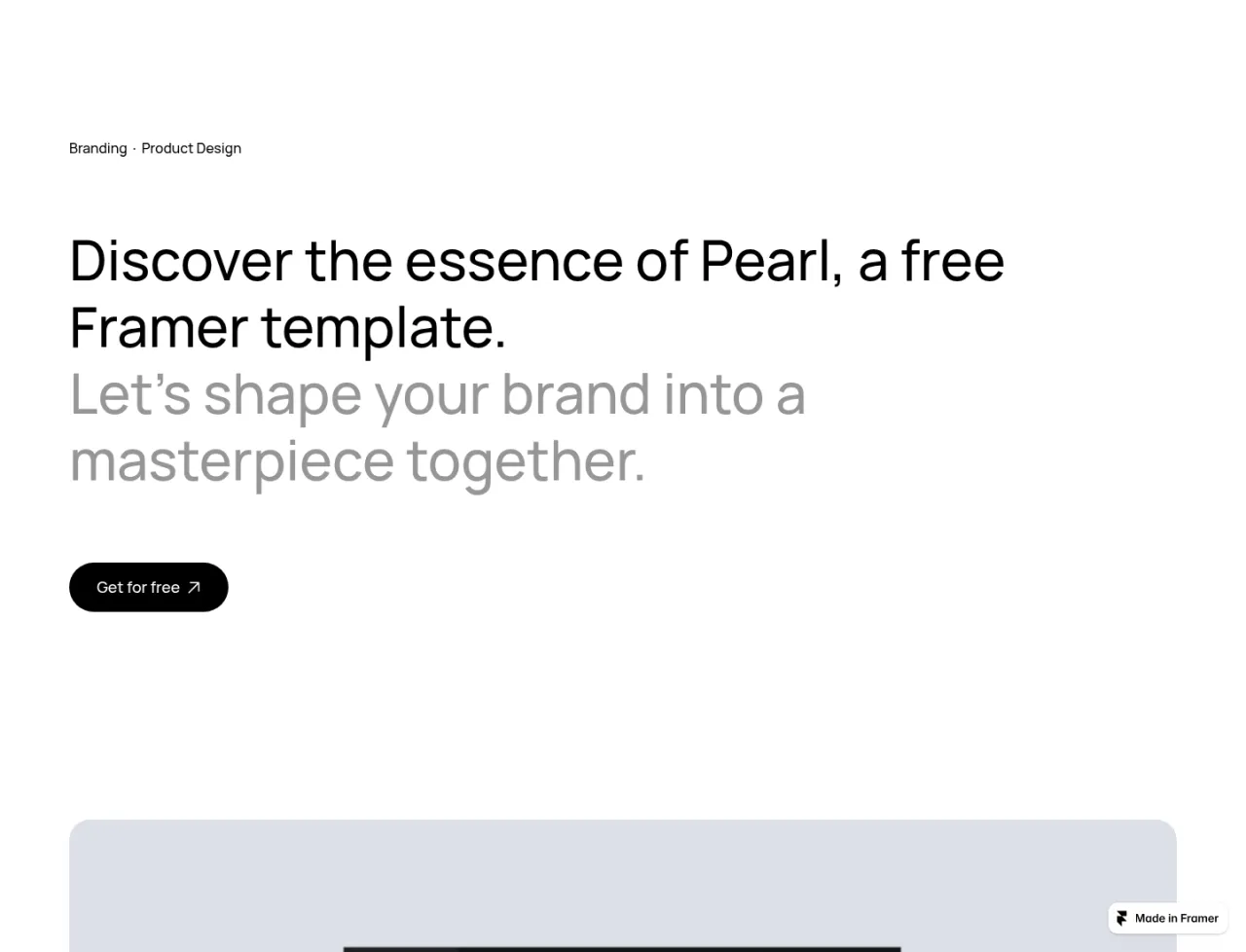
Pearl by Dawid Pietrasiak, as it looked in November 2026.
- Best for: A designer, photographer or artist who wants a free portfolio template with separate project pages.
- What stands out: Five project cards follow the hero. Services sit in four groups (Branding, UX/UI, Motion, Mobile), and the top menu links to Contact.
- Watch out: The services list is long and written for a design studio. If you use Pearl for a photography portfolio, keep the services that match your work.
- Price: Free.
- See it: pearl.framer.website
11. Savoria by Jitu Raut
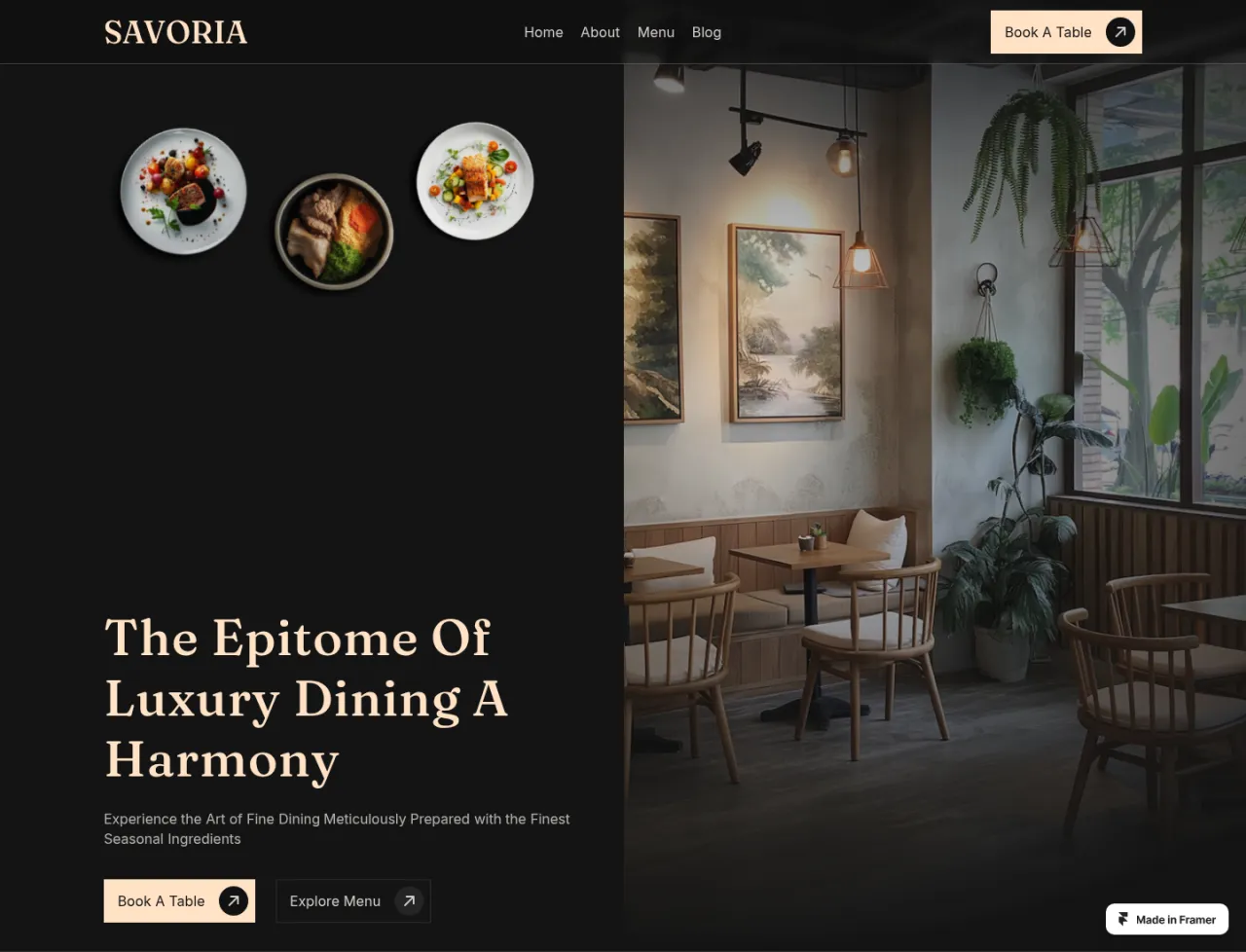
Savoria by Jitu Raut, as it looked in November 2026.
- Best for: a fine dining restaurant that wants a calm, high-end look.
- What stands out: Four menu category cards link through to a CMS menu page. "Book a table" shows in the header and hero, and the closing block lists opening hours and the address.
- Watch out: The homepage shows menu categories and names signature dishes. Visitors can open the Menu page to see prices.
- Price: Free.
- See it: savoriarestro.framer.website
12. PlumbingPro by Wize Design
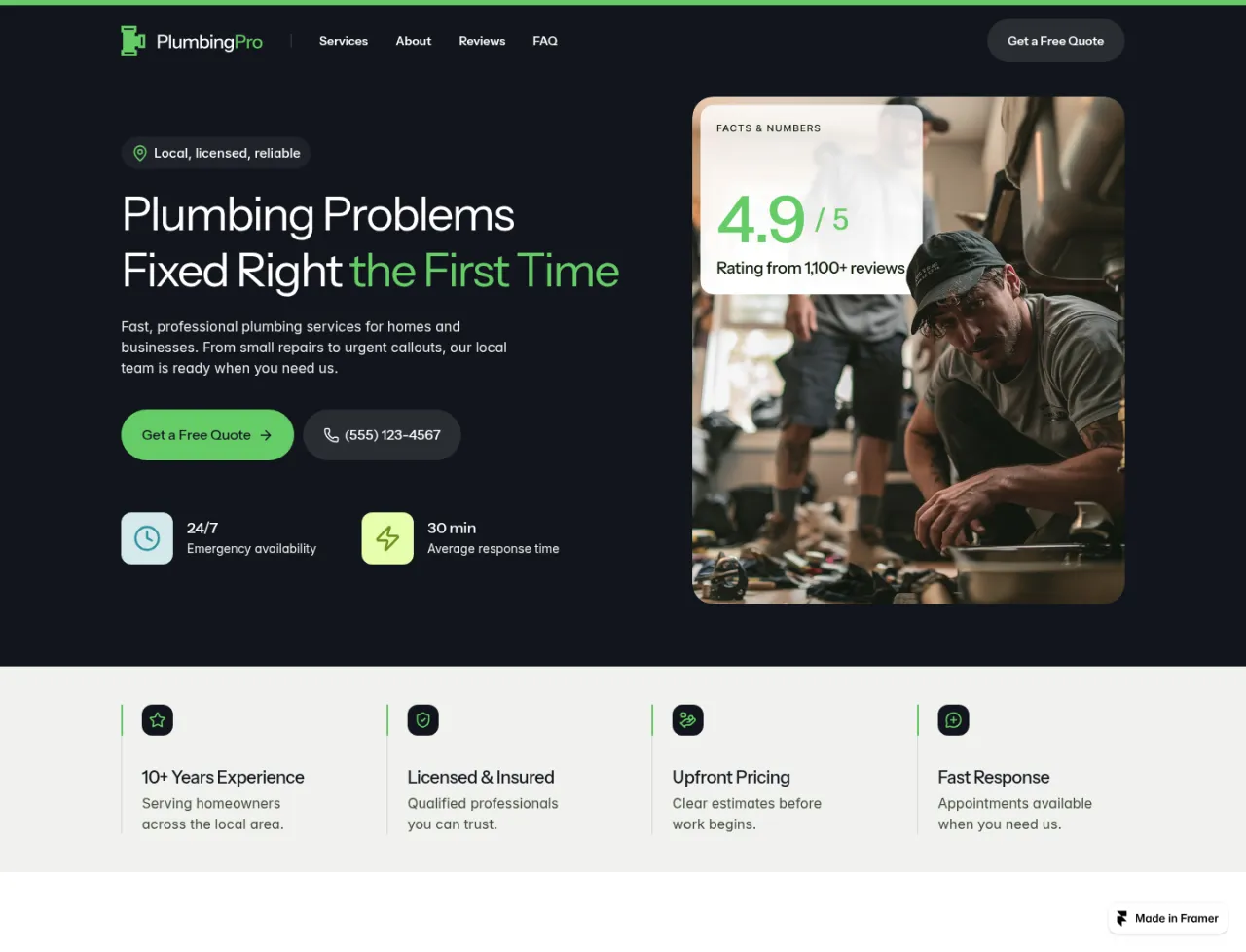
PlumbingPro by Wize Design, as it looked in November 2026.
- Best for: a plumber or other trade that wants phone calls and quote requests.
- What stands out: A phone number appears next to the quote button in the hero and repeats down the page. It also has six service cards, a service areas block and a three-step "How it works".
- Watch out: There is no form on the homepage. Quote buttons go to a separate contact page.
- Price: Free.
- See it: plumbingprotemplate.framer.website
How to choose a Framer template for a small business
- Match the sample business. PlumbingPro starts with sample copy and sections written for a plumbing business.
- Count the pages you need. Write a list first: services, about, pricing, contact, blog.
- Check how people reach you. Look for a phone button, a booking link or a form, and see which page it sits on.
- Check the CMS for things that change. Savoria uses Framer CMS for its menu and blog.
- Read what comes with it. Some templates include a Figma file and a commercial license. Others, like Dreelio, offer the Figma file only on request.
- Open the preview on your phone.
How to start from a template in Framebite
- Pick one or more templates from the full Framebite template list. At least 95 of them are in the free Framer templates collection.
- Copy the template into Framer, then change the sections, text, colors and images with no code. Each template comes with an editable Figma file.
- Launch your site. If you want more than one design, Annual Access costs $199 one time and gives you all 302 Framer templates for 12 months.
FAQ
Does Framer have templates?
Yes. The Framer Marketplace lists free and paid templates from many makers, and studios like Framebite publish their own. Use the preview links to look at a template before choosing it.
Are there free Framer templates that look professional?
Yes. Pastora, Videfo, Dreelio, Pearl, Savoria and PlumbingPro in this list are all free. Framebite has at least 95 free Framer templates.
Does Framer host websites?
Yes. Framer publishes and hosts the site for you, which is why the previews above live on addresses like framer.website.
What are the best Framer portfolio templates?
Evelyn is a $49 creative portfolio template. Pearl is a free portfolio template with five project cards near the top of its homepage.
Is Framer good for beginners?
Starting from a template helps a lot, because the layout and pages are already done. You mostly swap text, images and colors in a visual editor, with no code.
Browse every Framebite design at framebite.com.
How this list was made: every page in it was opened and screenshotted in November 2026, and the details were checked against those pages before publishing. It was written by the Framebite team with AI assistance. We did not build a site with each one hands-on. Framebite is our own product.